
AULA F75 Pro Mechanical Keyboard Review
Black Pink In Your Desk Area
Disclaimer: AULA sent us a unit free of charge to review, but all thoughts and opinions expressed in this review are our own and were not discussed with the company prior to publishing.
Retail Price: $94.90
The basics
The AULA F75 Pro wireless mechanical keyboard is the perfect example of the current landscape of the mechanical keyboard industry right now. It emits a creamy thocky sound, it’s wireless and compact, it has a cool color scheme, and best of all it costs less than $100. There’s a lot of value going for the F75 Pro, but as is with a lot of mass produced keyboards, the biggest concern keeping these things from sustaining success might just be on the production side.
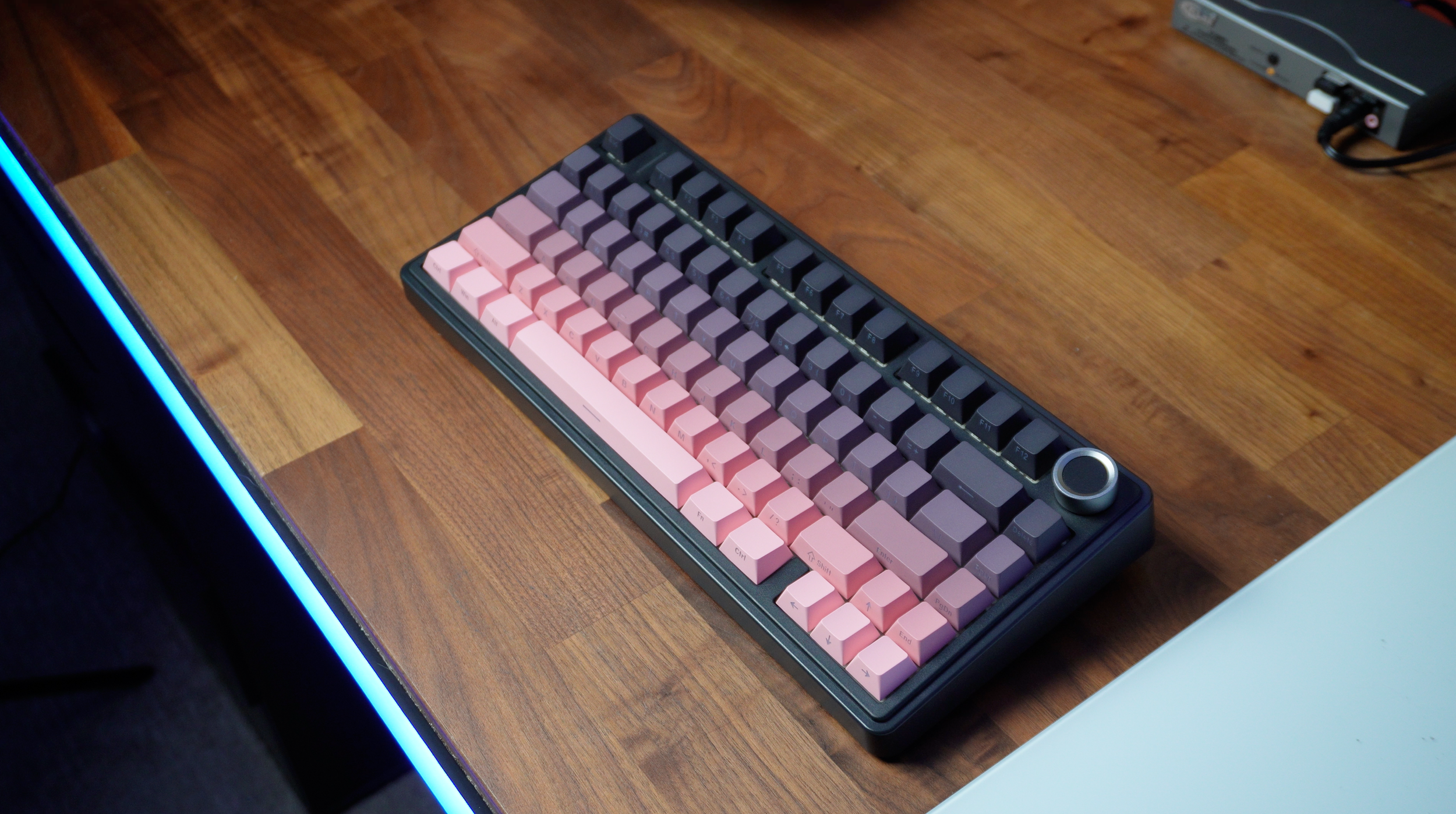
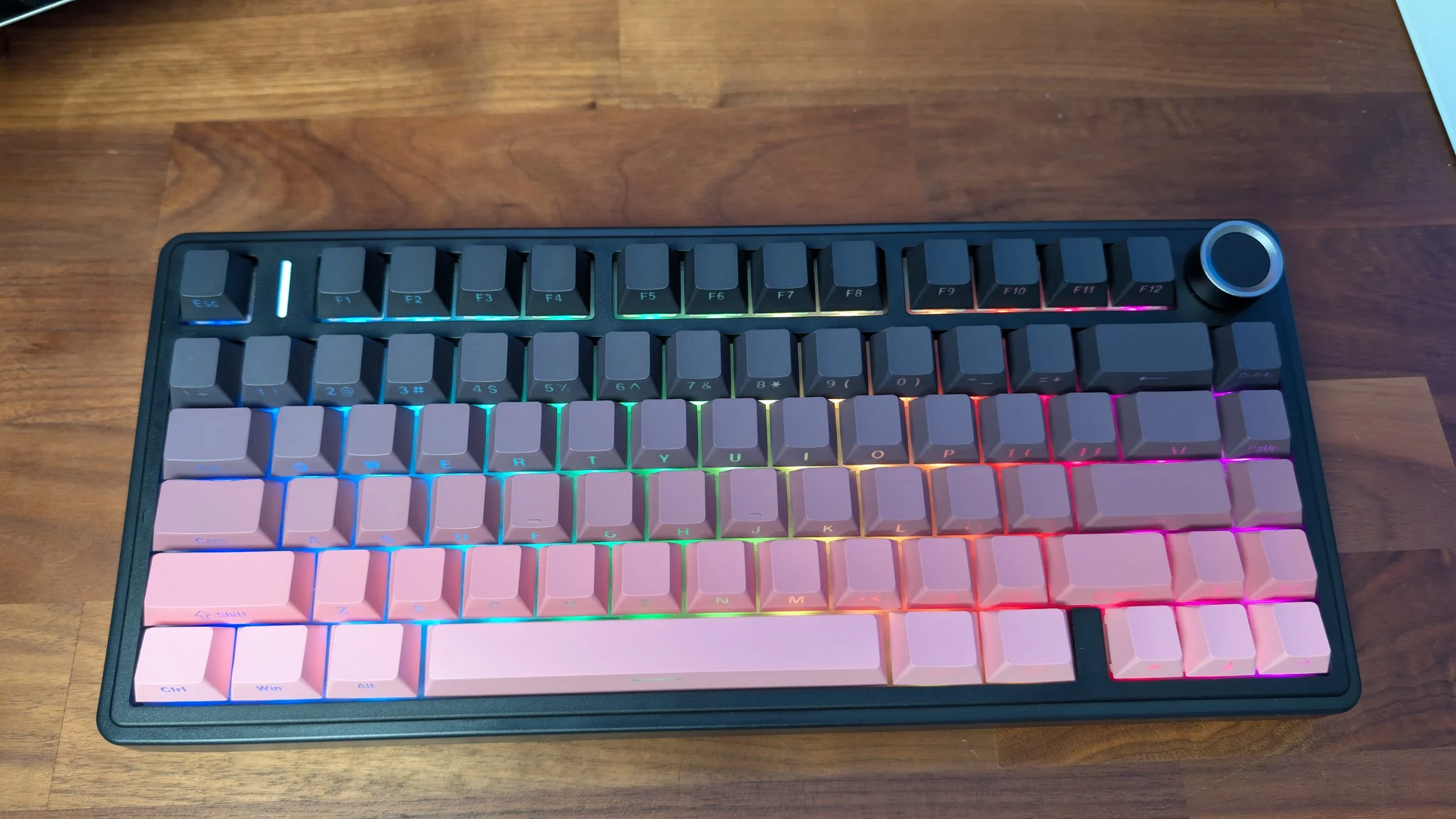
The F75 Pro in its gradient color scheme
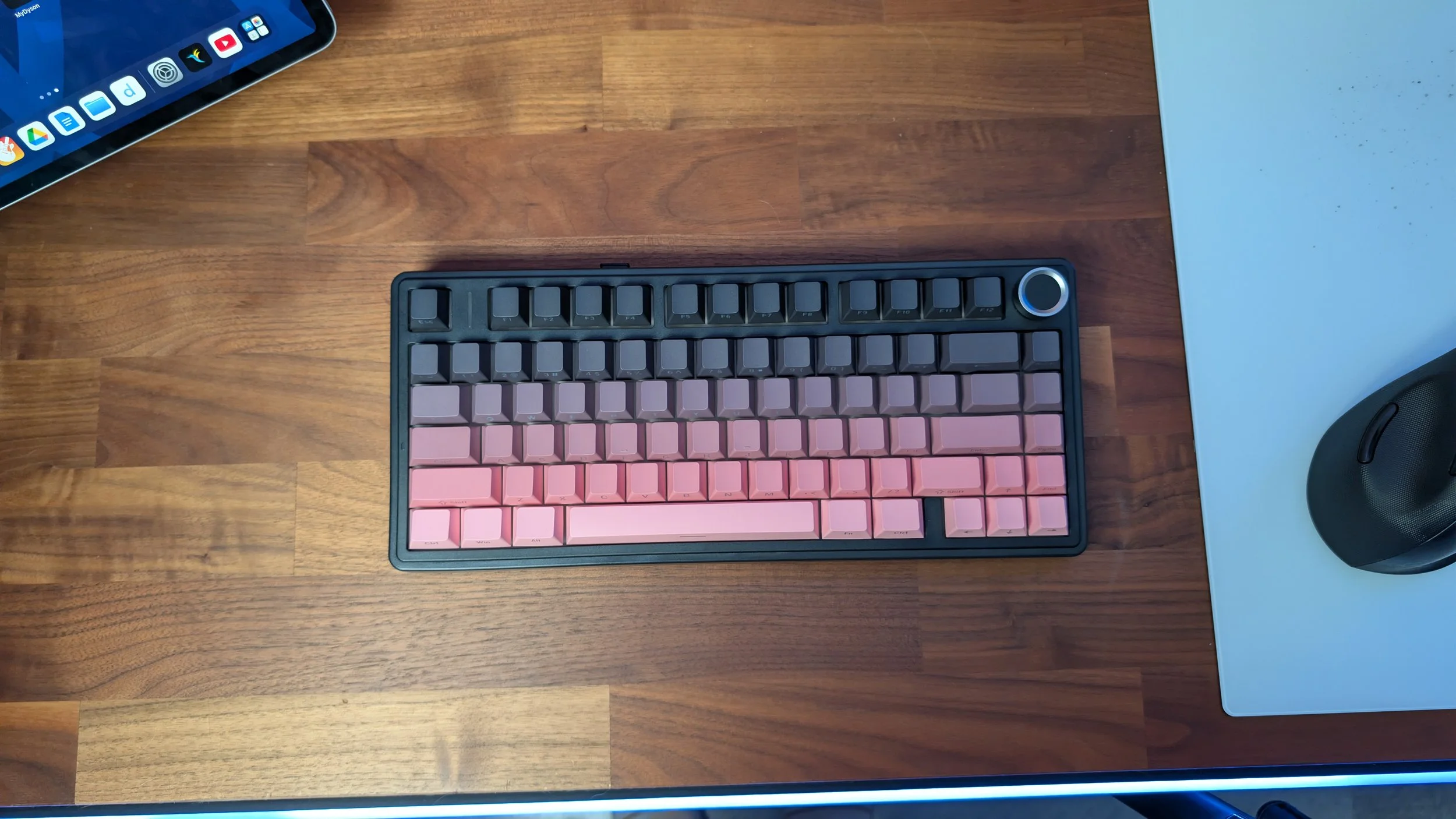
Let's get some basic stuff out of the way. As a 75% compact keyboard, this tenkeyless layout has 81 keys and a volume knob. The additional column on this design is flush with the main layout as are the directional keys. There’s no separation here. I personally like to have a little bit of wiggle room between the column and the main layout, but I also didn’t run into many typing errors with this setup either.
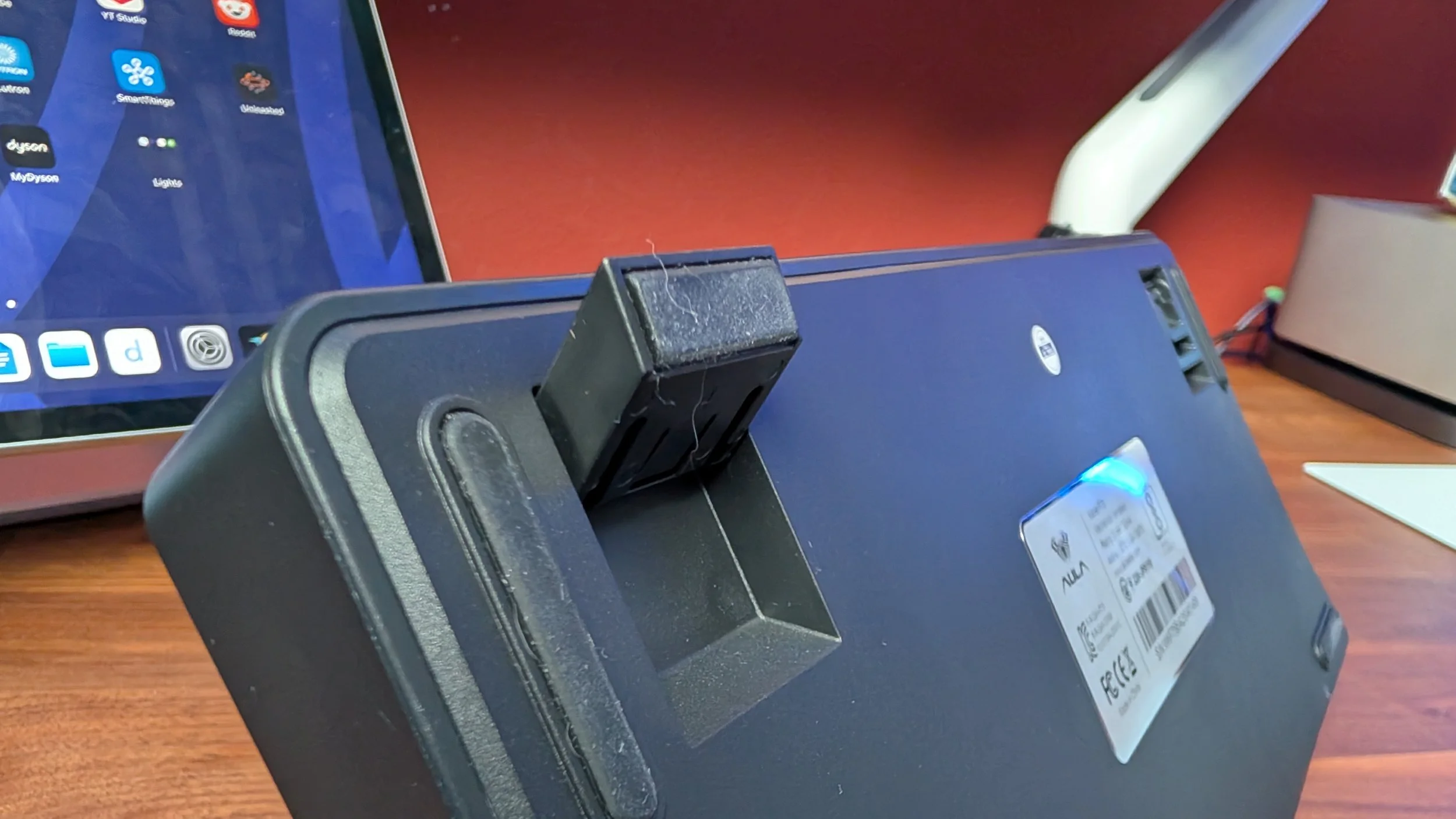
There’s a two-stage kickstand that props the typing angle of the F75 Pro up quite high. This is a rare case where I found the flat typing position to be perfectly adequate for my tastes due to the sloped incline design that is much thicker on the backend. With that said, I have left it on the first propped up position during my review period with this mechanical keyboard and it's a comfortable position to be at.
Keys
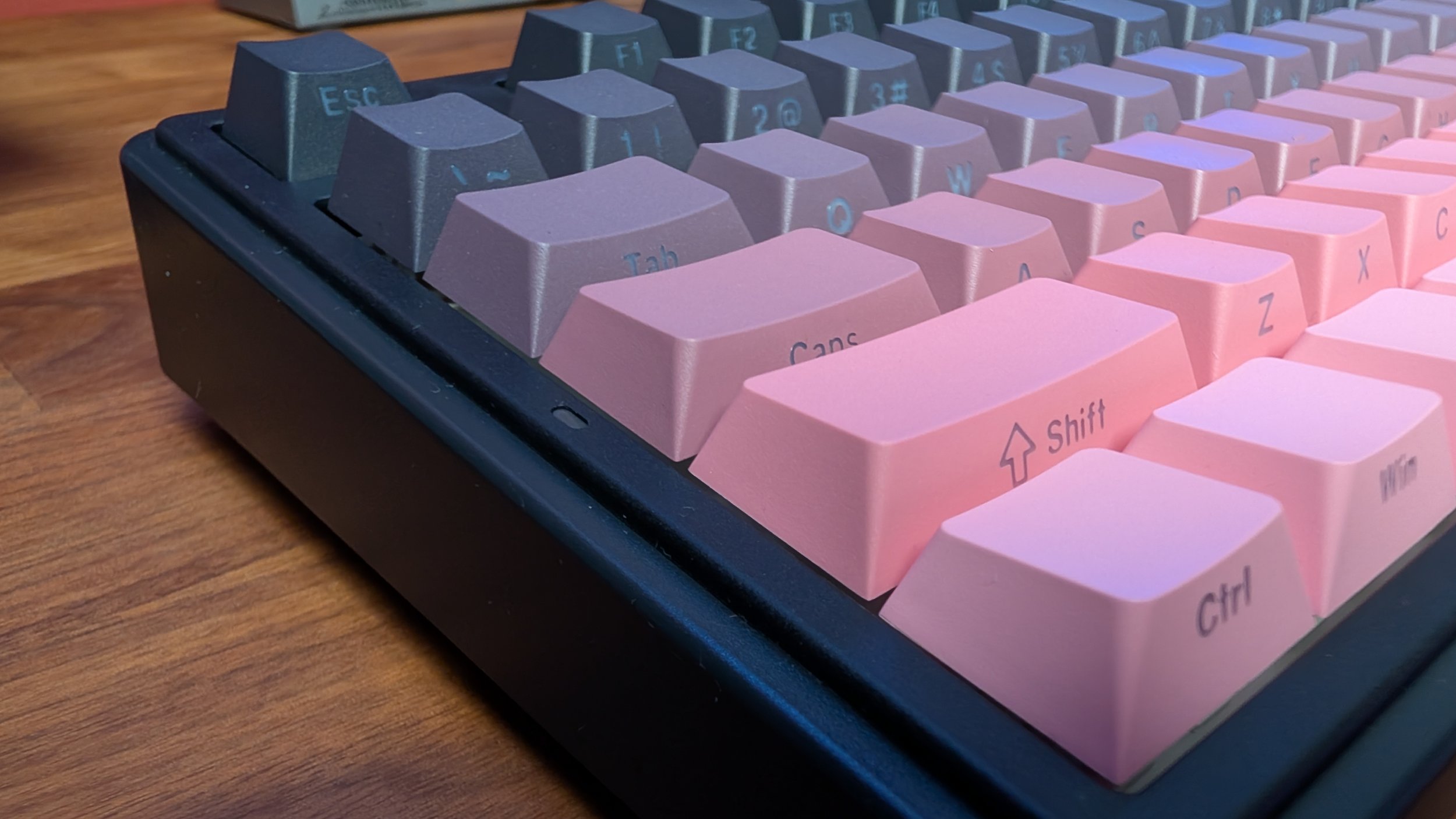
Another thing that is extremely comfortable to touch are the PBT keycaps here. AULA implemented a gradient color scheme for this model that I was sent. It centers around the core colors of black and pink. If you’re a fan of the K-pop group Blackpink, this keyboard should probably be in your desk area. think it looks quite neat and reminds me of a paint catalog you’d see at a Home Depot or Lowes. I love how much of an anti-fingerprint magnet these caps are. The symbology is side-printed which leaves the topside fully clean. It has kind of a matte finish to it and the oils from my fingertips don’t reside on them. It just looks and feels good even after a long session of usage.
Speaking of that side-engraved symbology, it’s a pretty common trend in mechanical gaming keyboards at the moment and I think it works pretty well with this elevated angle. It’s not too difficult to read the letters on the caps and they are RGB passthrough so they illuminate in a dark setting. It’s an even better combination when you add in the fact that the RGB lights are south-facing which shine directly where the symbology is located on the keycap.
The RGB lighting on the F75 gets pretty bright while certain patterns and color schemes match these gradient keycaps nicely. There are 16 pre-set lighting effects to choose from to be exact. I personally find a simple clean white light illuminating the pink and grays to be the perfect combination to make this board sparkling clean to look at. You can customize the lighting colors and also program macros using AULA’s custom software. I don’t personally find the appeal with this control program, but like a lot of them in this price category, it just does the job needed to offer a little bit of extra control over the keyboard. Don’t expect top tier keyboard software that goes above and beyond here.
What does sound and feel great are the pre-lubed LEOBOG Reaper switches. I’d disagree with the marketing material that these are quiet switches, but that honestly doesn’t really matter because it sounds great. This is a hot swappable 3-pin/5-pin board so you can customize the switches however you want it to be. The default linear switch typing experience is smooth and AULA provides a good amount of padding in the structure. That is if I’m able to actually type with this keyboard.
Almost immediately out of the box, I began seeing double letters, space bar issues, and an abundance of other misfiring issues. It’s almost impossible to type out a full sentence without something going haywire. I think what I’m seeing is a mixture of key chatter, sticking, and maybe even stabilizer mechanism issues. Keep in mind that this is a brand new board out of the box from the manufacturer that I have been testing wirelessly through a 2.4 GHZ USB connector, Bluetooth 5.0, and a direct USB-C connection to the computer. I can visibly also see some of the keycaps getting caught on its way up with another key. This is extremely obvious with the space bar as the volume of the keycap must have been produced too wide. It’s clipping the keycap of the M key enough where I can see whitening and chipping on the edge of the keycaps. Whatever the actual diagnosis is that’s causing this to happen, there are clear quality control issues with the board I received.
Build Quality
With a 4,000 mAh battery powering this AULA, expect to see about a week or so of battery life off the plug with the RGB lights turned on. I didn’t get a chance to consistently use this board as a solo board due to it being impossible to legitimately type or game on with all its issues, but even then it won’t survive on standby while powered on for too much longer than that stated amount of time.
I did try running some games with the F75 Pro, and it was impossible with the space bar issues I faced. Ironically the space bar is like a universal jump control for basically every PC game, so my characters just looked silly hopping up and down nonstop like a bunny. If it did work right where I wasn’t pulling my hair out in frustration, this mechanical gaming keyboard does have N key rollover.
6 F75 Pro’s
AULA sells 6 color variants of the F75 Pro
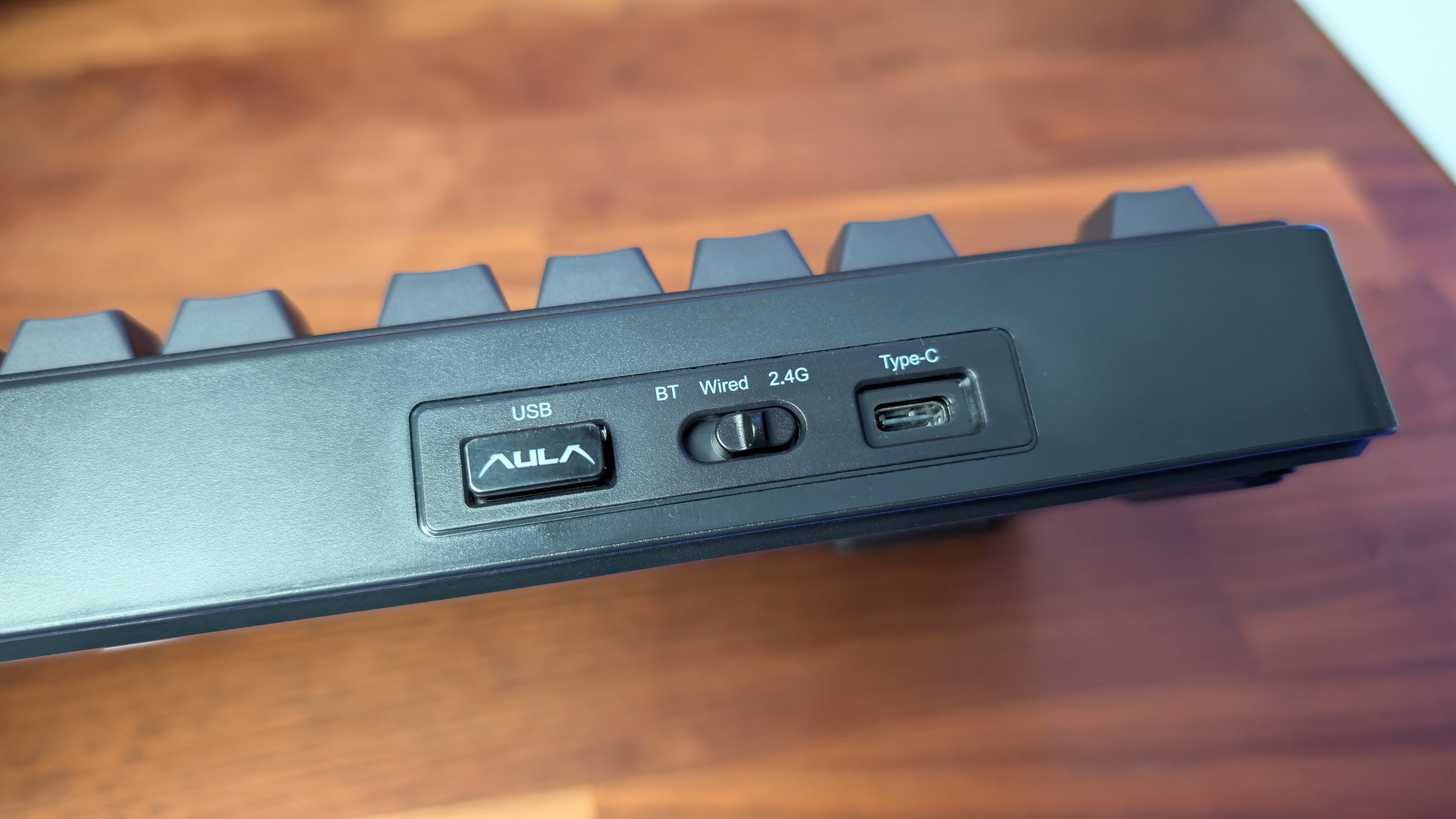
While the F75 Pro isn’t metal or made from traditional premium materials, the plastic shell and frame are all perfectly suitable for a keyboard in this price range. When I first pulled it out of the box I did in all honesty feel a bit disappointed after reviewing a string of metal boards, but after a little bit of time with the board, I found it to be well constructed. It doesn’t creak when flexed. It doesn’t retain much dust and debris thanks to a well designed structure. I also liked the placement of the USB receiver slot on the top left of the frame as its neatly sorted with the wireless control toggle and the Type-C plug.
The volume knob is a little loose for my liking, but it does look and operate fine. This is also the only metal material on the face of the board. If the board had operated flawlessly out of the box like it was supposed to, I would have been perfectly satisfied with the actual build quality of the keyboard.


Should you Buy?
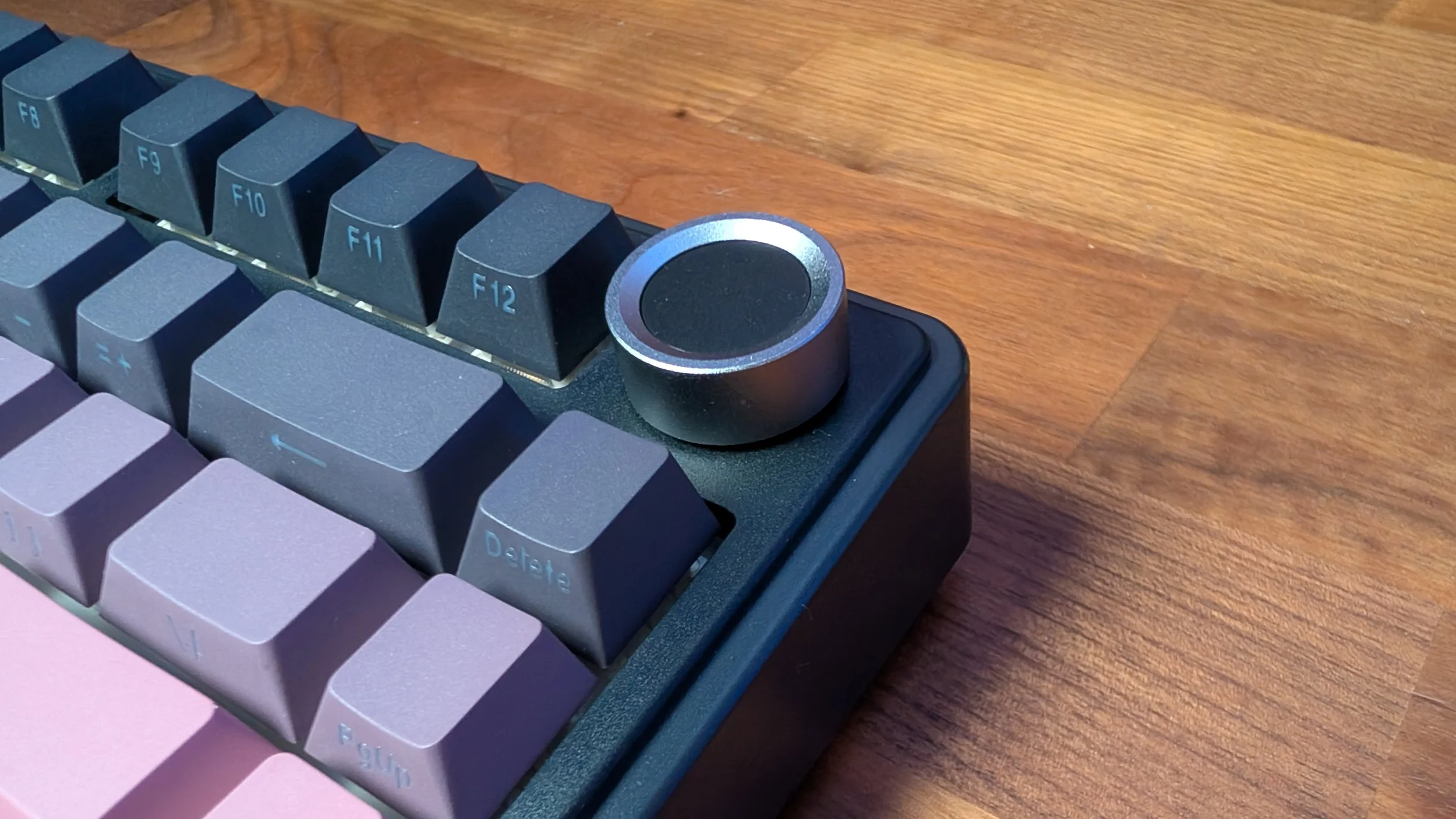
The metal volume wheel
From a design standpoint, I do like the F75 Pro a lot. It’s exactly what a modern mechanical keyboard should be at this point. It doesn’t cost much and it offers that popular thocky sound profile that many people are seeking right now from their keyboards. It doesn’t necessarily stand out in any single way, but the F75 Pro is also not a board that won’t fit with any specific type of desk. Whether it's at an office space or as part of a gaming setup, the board does seem versatile enough to handle those environments.
Unfortunately, I can’t overlook the quality issues I faced with my switches and keycaps to the point where I feasibly couldn’t use this keyboard to even type out a sentence when writing up this review. It’s the first time I’ve ever had to pop out a different keyboard to finish up writing a review for keyboard. That’s absolutely not a good look and it’s an inexcusable performance for a keyboard out of the box.
We are a participant in the Amazon Services LLC Associates Program, an affiliate advertising program designed to provide a means for us to earn fees and support our channel by linking to Amazon.com and affiliated sites.
You can’t argue a $50 price tag, but is the Phantom S good enough for people to actually use daily?