
GameSir Pocket Taco Review
this Makes Any Phone Into A Game Boy
Purchase Price: $34.99
For many years now, I’ve been looking to play Tetris in an extremely portable way. Whether that’s with a small handheld or through my smartphone, I have yet to find a perfect solution. I’m not talking about playing Tetris casually either, I need a solid DAS option to hit those five taps on NES Tetris (just kidding I can’t roll or hypertap). The GameSir Pocket Taco is a mount free attaching bluetooth controller for both Android and iOS that comes extremely close to what I have been envisioning as a solution to my needs. To be frank, it didn’t live up to my expectations, but it also does a lot right to move the needle closer to my dream scenario.
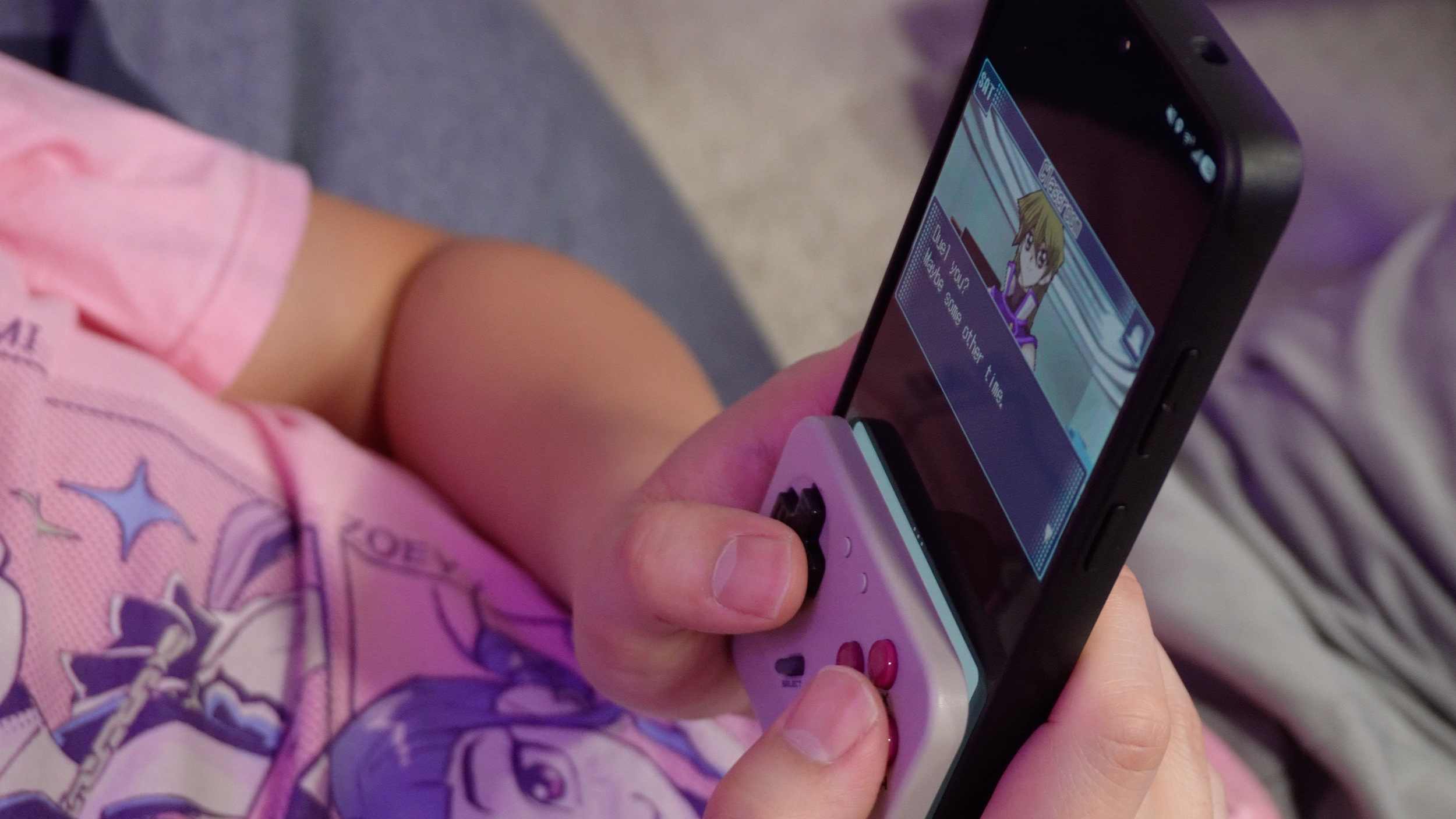
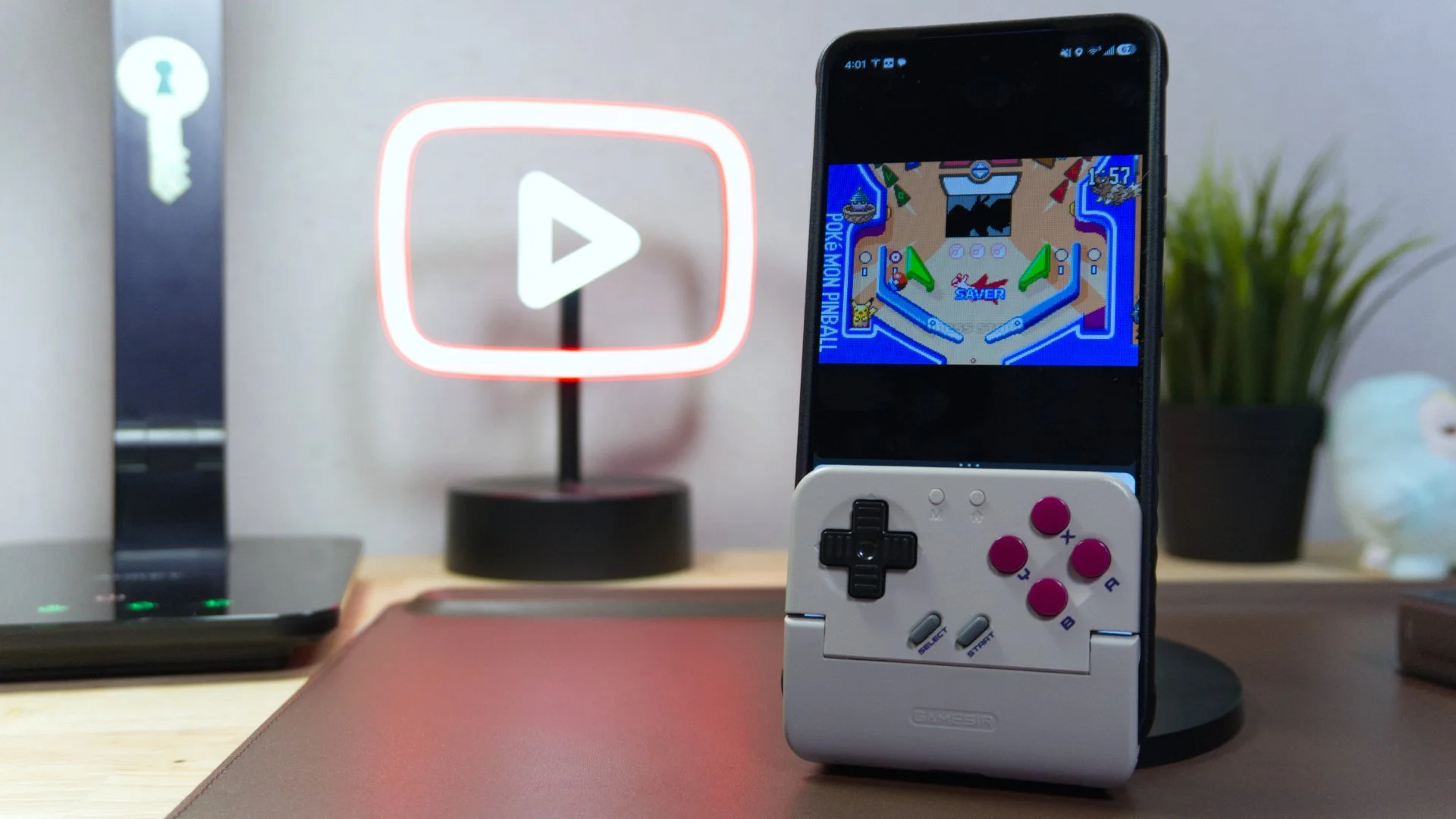
A couple of years ago when Apple finally opened the floodgates for emulators on the App store, it was inevitable that the mobile controller market would flood with solutions to emulate retro games using analog controls. The moniker of the Pocket Taco stems from its peculiar clamp-like form factor. This controller functions as a bottom-half sleeve that your smartphone simply slides into. It holds your hardware tightly using specialized silicone padding, so you won't have to worry about it sliding out while you're deep in a heated Pokemon Pinball session. The Pocket Taco is incredibly compact and lightweight (just 62g). It easily slips into a pocket alongside your phone, making it quite easy to take along with you which is half the battle. Many controllers are simply too bulky and deter you from keeping it on you. Portable gaming sessions are those you can pull out and get a quick session in at any time anywhere at the snap of a finger. The Pocket Taco gets dangerously close to being that fluid seamless transition from pocket to action.
Design
One particularly clever design choice is the integration of the hinge mechanism: simply unfolding the clamp powers the unit on, while snapping it closed initiates sleep mode. It's not a true one-size fits all solution as a thicker case can get the Taco to wobble, but for most modern smartphones with basic cases, it does sit in well. Additionally, GameSir was smart enough to include a bottom-facing cutout, ensuring you can still juice up your phone via a charging cable while the peripheral is secured. The problem with this cutout is that it isn’t wide enough to accommodate a lot of USB-C cables as their heads are wider than the entry way. The USB-C charging port for the Taco itself is also intently placed in between the shoulder triggers so that it connects behind the host phone and out of the way of the gamer’s hands. You can be charging both the phone and the Taco concurrently without either interfering with the gaming session as they go in opposite directions. That’s really good cable management.
Click Click
GameSir uses cushioned membrane buttons
Seeing as this is a rather inexpensive mobile controller, don’t buy this expecting a high-end input experience. The D-Pad is a bit mushy for my liking. However, I do like that it has subtle ridges on the input that does slightly help the thumb keep positioning on the pad. Unlike the OG Game Boy that this takes inspiration from, the Pocket Taco has four buttons in the Super Nintendo layout: X,Y,A,B. While the buttons are a bit hollow sounding, they do feel decent to press into even if they’re a little mushy feeling for me. In addition to those four, we have a roll of shoulder triggers with the L2 and R2 shrunk into small squares next to the dog nail shaped L1 and R1. The Start and Select buttons are super soft and mushy with no tactile feedback. Lastly, GameSir has two additional Android controlling buttons that are itty bitty at the top.
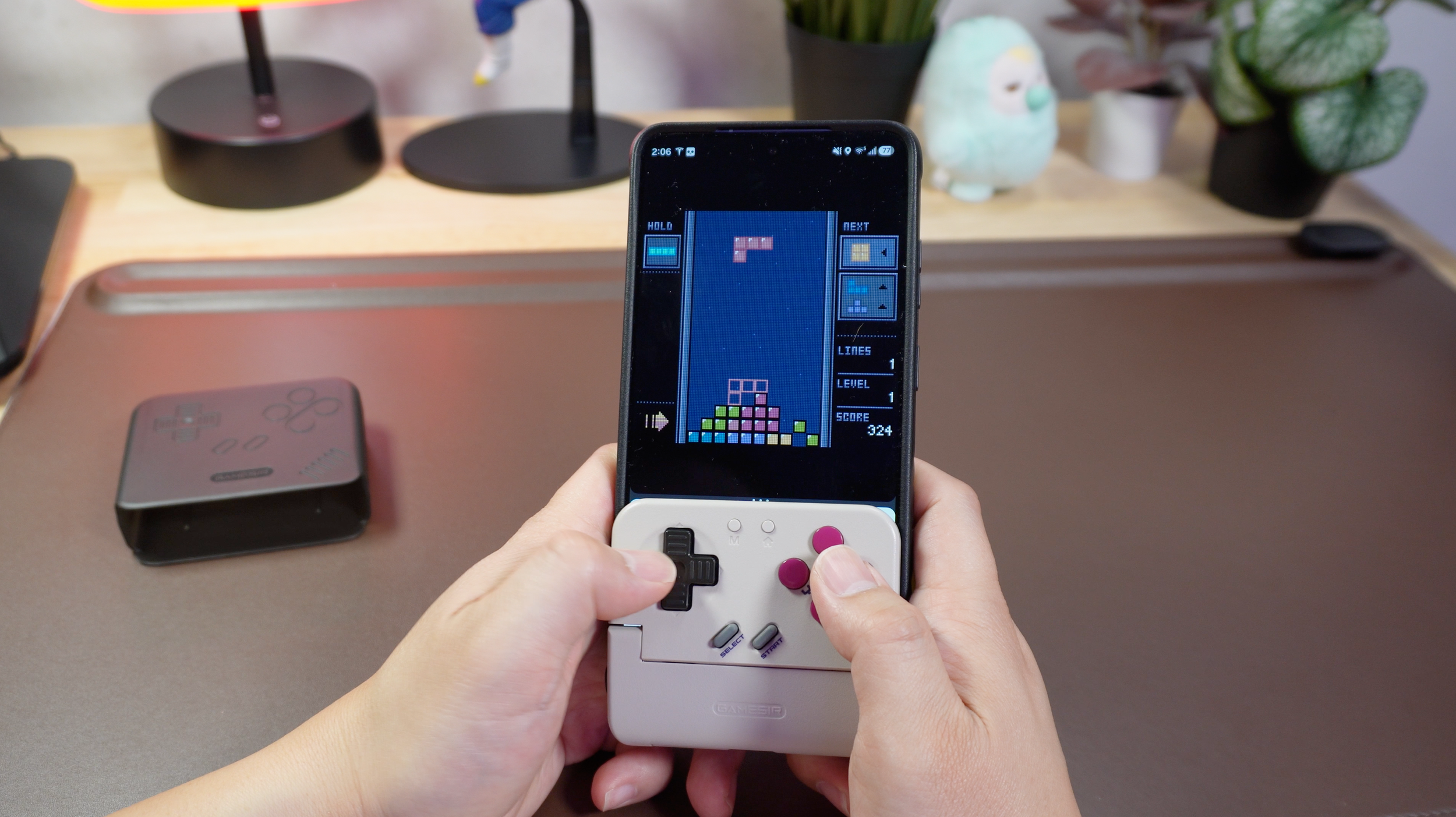
Playing Tetris with the help of the Taco
Gameplay Capabilities
If you want to maximize the utility of the Pocket Taco, you really have to recognize its intended use case.
Emulating retro 4:3 titles is where this peripheral may earn its living. Revisiting classics on Game Boy, GBA, or SNES via apps like Delta or RetroArch is a nostalgic experience. Because of the portrait layout, the game occupies the upper portion of your display, providing a clean, sightline-friendly view of the gameplay while your inputs stay on the physical controls below. The most glaring issue, however, is the logistical nightmare of general navigation. Since this peripheral essentially swallows the lower portion of your display, basic tasks like browsing your OS or firing off a text become impossible without fully detaching the unit. It's one of those situations where you have to be dedicated to dictating your time to playing that specific game with this controller because it isn’t easy to do a quick task elsewhere on the phone without needing to pull the controller off, reorient the phone, and then operate it normally.
I’ll be frank and identify that I had a lot of performance issues with the Taco that were prominent when playing Tetris. Tetris is a game where counting the taps is extremely vital for survival. I’m no pro player, but I’m not terrible at the game either. I’m not fully certain whether I came across a latency issue or if the directional pad was just poorly implemented and sticking, but it was not precise to my thumb’s input. I’ve run ModRetro Tetris on so many handhelds and controllers that I know my skill level is not that poor in stack building that I would misdrop on such low speeds like I was with the Taco. I counted taps and rewatched recorded camera footage to identify the misdrops and I’m keen to blame the directional pad.
I would actually really only suggest this accessory for iPhone users who run Delta emulator. In fact, it feels like GameSir designed this with the iPhone and Delta as its primary occupation based on the setup and ease of use. It's a snap and go on Delta, but a much more antagonistic approach on Android if you decide to use RetroArch or another emulator frontend.
Whatever you do though, don't pick this up if your intent is to find a portable controller for native mobile titles. Modern gaming apps are optimized for 16:9 landscape touchscreens. Attempting to run Genshin Impact or Minecraft is a silly endeavor, as the hardware effectively obscures half of the interface, and rotating the setup into landscape mode results in a clunky, lopsided disaster. While technically you could keep the controller detached and operate it as a wireless controller, the controller itself isn’t comfortable for that purpose. Plus, there are many better options on the market for that kind of gaming session. You really shouldn’t use it in landscape at all. It’s not meant to be.
The mechanism of the Taco openning up


Connectivity and Power
Utilizing a Bluetooth connection, the Pocket Taco packs a 600mAh battery that honestly makes power management feel trivial. During my time with the unit, battery longevity was essentially a non-factor; your smartphone is guaranteed to run out of juice well before this peripheral even breaks a sweat. It is also nice that the source of power for the controller and the hardware running the games (which is the phone) are independent of each other. You don’t need to plug the Pocket Taco to the phone via a USB-C port to power the controller. That means it won’t provide extra drain to the battery of the phone while gaming. On the other hand, it’s another item you will have to eventually plug to the wall to give a charge.
The software side of things is where you might run into some friction. The pairing process can be temperamental at times, occasionally forcing you to jump back into settings to reset if things stop recognizing, which has happened more frequently than I would have liked to see. While the GameSir App is available for tweaking your setup with features like G-Touch or V-Touch mapping, the actual user interface feels noticeably unpolished and rough around the edges. It looks and flows like an app designed in 2016 rather than a modern design.
Who’s it for?
I also love the included case that comes with the Taco. It acts as a sleeve to protect the surface of the unit while retaining the opening of the charging port so that it can be plugged in while covered.
The Pocket Taco is a nifty little companion for smartphones, but it's not the most comfortable to hold for long sessions. It’s a bit narrow as it occupies the same exact width as a modern smartphone that it clamps to. Imagine operating a directional pad and control buttons in the vertical landscape of your smartphone. You can try that for yourself without this to see if it works for you.
The best thing the Taco has going for it is the price. It’s inexpensive and it offers a unique mobile gaming experience that departs from other mobile controllers. The Game Boy is this controller’s true calling and if that’s what you’re aiming to make your experience feel better on your mobile, then this might be a solution that feels a little bit more authentic to that format than anything else out there at the moment.
We are a participant in the Amazon Services LLC Associates Program, an affiliate advertising program designed to provide a means for us to earn fees and support our channel by linking to Amazon.com and affiliated sites.
The Miyoo A30 is a compact yet purpose-driven handheld emulator that leans heavily into nostalgia for the glory days of the Game Boy Advance.