
RayNeo Air 4 Pro Review
A Perfect Introduction
Retail Price: $249.99
I’ve tried to stay out of the glasses as a monitor market for as long as I could simply because I didn’t really find much of a need for them in my everyday life. It isn’t like this is AR technology in the sense that it adds a Jarvis interface from Iron Man in my sight when I wear them. AR glasses as they are today in the market are simply glorified display extensions. There’s nothing wrong with that, but if you already have large and sharp beautiful gaming monitors and televisions, it might not be worth the additional cost to get a pair of glasses. I did eventually bite on the RayNeo Air 4 Pro glasses simply due to one huge distinguisher: the price.
Does Pretty The Same
Retailing at $299, I bought them at launch for $250. At this range, it’s an easier pill to swallow as an introduction into this space. I have a Valve Steam Deck which many gamers love using these types of glasses with so I figured why not give it a shot. While the 4 Pro may not be the top of the line in terms of specs and performance for a pair of AR glasses, it handles pretty much the same function as any pair of projection glasses provides users with right now. The 4 Pro pushes out a large portable display right in front of your eyes while also providing a private audio experience through an open-ear format. If you think about it, this is perfectly catered for air travel and if this were the 90’s or 2000’s, I would have been over the moon to have one of these things at such a high resolution for all the trips on a plane I spent as a kid.
I say high resolution because RayNeo actually does throw in an extremely respectable sharp HDR10 AR display into these rather cheaply priced glasses. In fact, RayNeo says these are the world’s first HDR10 AR glasses. You can of course turn HDR off, but you can also toggle a few settings options and have an SDR to HDR conversion. For me, HDR is only suitable for certain content I have in front of my eyes. For example, I didn’t find the image to look that good in HDR while watching music videos from Youtube. On the flip side of things, playing a game with a wider range of colors and dark tones, I actually did see the benefits of the HDR10 implementation compared to the standard viewing. Is HDR10 a main selling point for me? I personally didn’t think so, but that might be different for you.
Brains of the Operation
RayNeo uses a Vision4000 chip co-developed with Pixelworks
The glass on these glasses push out a 1080p resolution per eye using Dual 0.6-inch Micro-OLED panels. The specs are average to what a competitive viewing experience for gaming would require with a brightness up to 1200 nits and a refresh rate of up to 120 Hz. I’ll go more into the gaming aspect of things later on, but what you need to know about the viewing experience is that the image from the Air 4 Pro is quite sharp, especially considering the aggressive MSRP price tag. While RayNeo advertises that these glasses project out a massive 201-inch virtual screen in front of the wearer at 3 to 6 meters, don’t go into this expecting to magically see a theater screen appear in front of you. In reality it feels as if I was viewing a monitor of about 28-32 inches at around an arms length from my face. I use an HP Omen 27i monitor at work and I’d say what I see from out of the RayNeo Air 4 Pro is similar in size in real life usage. You do not have the ability to expand the distance in which the virtual display can project from your eyes. The field of view here is 47 degrees which I think is actually more than sufficient for gaming and media consumption.
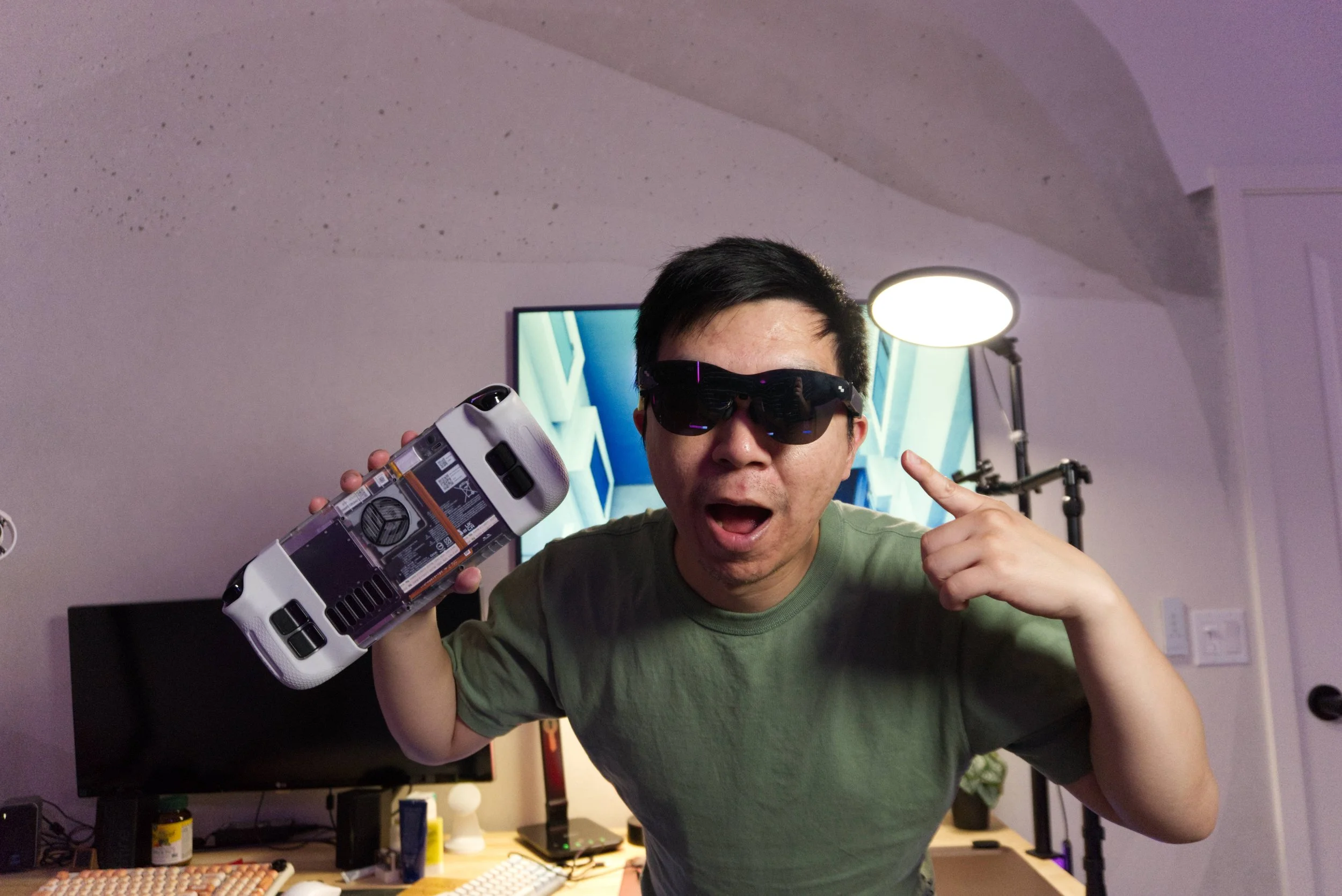
The Air 4 Pro and the Steam Deck pair perfectly
User Experience
The audio experience is provided by Bang & Olufsen through four built-in speakers. There are a few modes to toggle through including a “Whisper” mode that supposedly makes a difference in tighter spaces for privacy. I personally felt like all three of the modes were good enough for isolating noise to the wearer within a reasonable expectation. I wore the glasses to bed while my wife was watching television next to me and while my volume levels were at around 60%, she claims she couldn’t make out the noise coming from the speakers on my end. While there obviously will be leakage due to this open ear form factor, I thought RayNeo did a good job finding a compromise between sound isolation and volume level. I haven’t used this in a public setting where ambient noises could potentially drown out the projected audio from the glasses, but at least in a private environment with someone else interacting with resources in the room, I found the volume to be clear and satisfying. The good thing about having technology in this advanced age is that you do have the ability to use wireless headphones with the host device to push audio directly into your ears and bypass the speakers on the glasses if you desire clearer audio.
The Air 4 Pro gets power through its connection to the host device via a USB-C cable. This removes the need to charge the glasses which is convenient for travel as it's one less thing to plug in at night. On the flip side to that, you’ll always have a cable behind your ear hooking up the glasses to a device like your smartphone or tablet. That usually means you’ll be occupying the sole USB-C port on the host device, leaving it unable to be plugged in to charge itself. That also means the host device will draw more power as it will be powering an additional piece of hardware and the battery life will likely see a significant reduction. In some cases, the host device may even heat up and affect the performance depending on the hardware. My Steam Deck is notorious for overheating when playing certain games that may push its limits graphically. I absolutely saw the Air 4 Pro attribute additional stress to quicken the strain to the point where the Deck crashed and restarted after only 30 minutes of gaming. The single port issue could potentially be worked around using a Qi charger or a magsafe peripheral to charge the device while the Air 4 Pro occupies the sole USB-C slot. I did this while watching Netflix by plopping my phone onto a magsafe charger while I was plugged in with the Air 4 Pro and the phone did charge and continued playing my show. However, unless you’re willing to bring along dongles, it's likely that the glasses will have a finite amount of time with a device each session depending on the battery life left on the host system.


Viewing Experience
For me that was okay because I did have some fatigue wearing the RayNeo glasses. While the glasses were comfortable and relatively light when seated on my face, I did struggle to find the right level of balance for comfort. With a Wayfarer-esque design, these types of glasses are naturally a bit chunky and back heavy on the ears. The 4 Pro allows you to adjust the hinge points of the arms in a few angles that basically tilts the lenses either down or up in your peripheral view. If I’m laying in bed and wearing them, I usually adjust it so that the arms are tilted downwards. If I’m standing or sitting straight up, I try to keep the glasses parallel and flat.
I would judge the viewing experience of the Air 4 Pro as a case by case scenario. For example, I had a joyful and extraordinarily immersive experience playing a cinematic narrative game like Mixtape using these glasses paired with the Steam Deck. For a game that heavily relies on cinematic camera motions, art design, and a soundtrack-driven mood, glasses like these totally enhance that vision. I didn’t feel like I was just watching a movie on a television screen, or playing a game on my portable handheld, instead I felt like I was an omniscient observer interacting with events that are unfolding in front of my vision. Games like Mixtape mix really well with glasses like the RayNeo.
On the flipside, I have since abandoned using these glasses to view media that requires my line of sight to be heavily invested in the lower portion of the display to read subtitles. The reason for that is likely due to the physical fit in relation to the distance of the pupil. Since you can’t physically adjust the pupil distance from the projection of the image, the image does fall into a sort of eye box which then makes some edges and corners of the frame seem blurry. I was excited to go through some of my backlog of RPGs on Steam using the Air 4 Pro, but I quickly stopped enjoying it after a few hours with Metaphor: ReFantazio. That game specifically has characters dubbed with what I would gently describe as a variety of distinct English accents that to me is difficult to always process in a sea of dialogue. The subtitles help a lot and I tend to have them on for everything nowadays, even movies and television shows. I find that I catch a lot more details to the plot that I may miss or misinterpret the intentions of the story when relying solely on an actor’s vocal delivery. Playing the game in its native Japanese will also rely on me reading the English subtitles, so that doesn’t change anything in regards to it being slightly blurry reading texts.
It all boils down to the fact that I just couldn’t find a perfect spot for the glasses to sit on the nose of the bridge to give me the optimal viewing spot to visually focus on all spots of the frame. As someone who doesn’t require glasses to utilize a 20/20 vision in real life, I can also report that I did feel eye strain from constantly focusing on reading text while wearing the 4 Pro. It’s as if you were conducting an eye exam and reading off a board in the distance. Reading text off a virtual projected distance absolutely has a different viewing experience than reading text off a physical screen like a television in a similar viewing ratio. The image also cannot stay locked in one place as it will move with movement from your head. That does make me dizzy at times and is a big separator between this pair and more premium offerings on the market.
A Value Pick
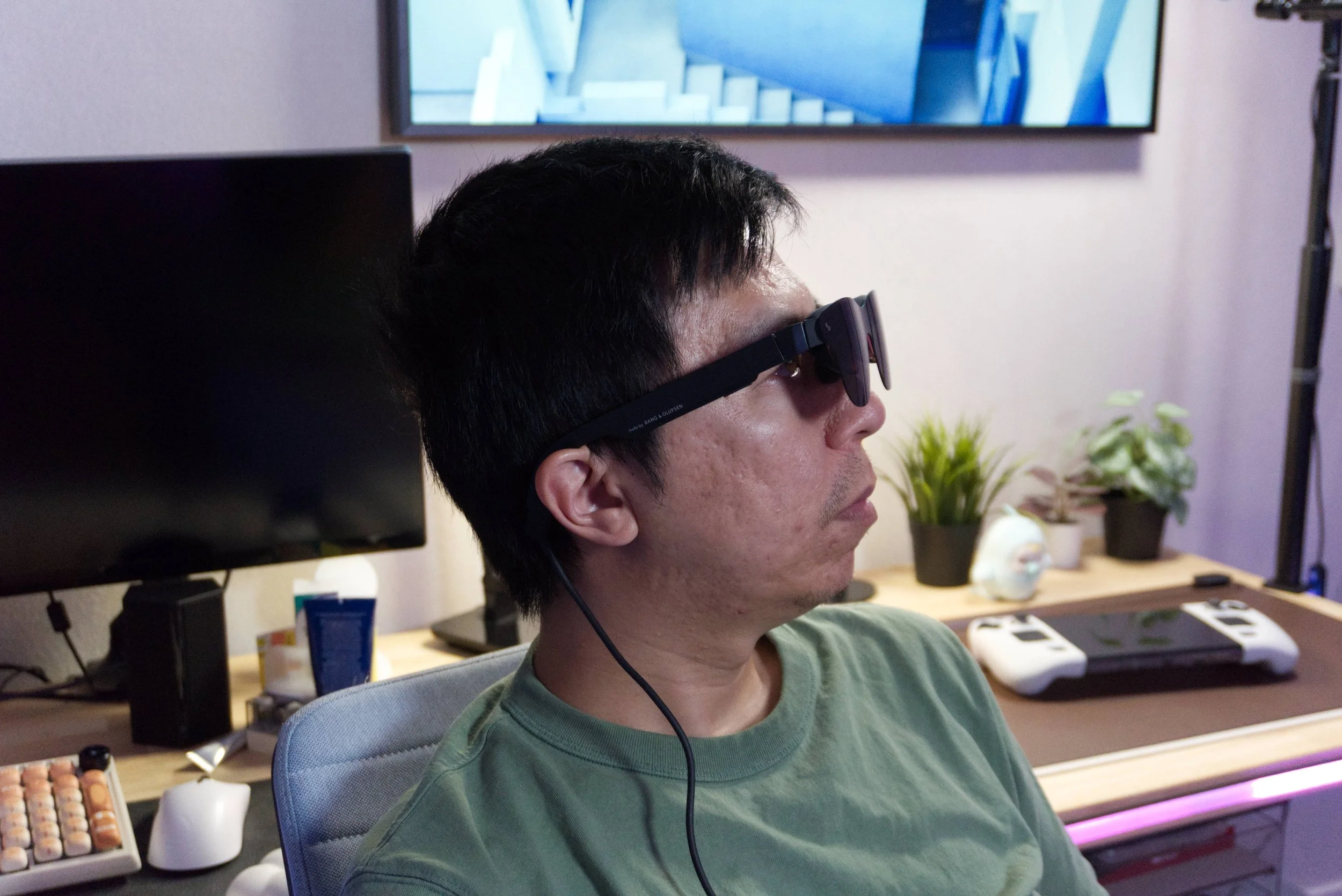
Side profile of the glasses being worn
The last thing to cover when talking about these glasses is about the environment and light. RayNeo includes a clip-on lens blackout shield that completely blocks out the external view from the virtual display. Light still seeps through around the frame of the glasses of course as this isn’t a tight seal around your eyes or anything like that. What it does help with is it functions as a dark backdrop screen for the virtual projection to sit on so you can view the image in a relatively clear brightness even with a brightly light external environment. You can use this in the direct sunlight and still see a clear picture with the clip-on blocking the light. Without the clip-on, I still thought the 4 Pro did a good enough job of getting bright enough to still provide a clear picture, but up to 1200 nits of perceived brightness in this manner is a bit different than say on an OLED screen. It’s fine regardless as I don’t surmise anyone relying on keeping their peripheral view open while wearing these glasses to enjoy their media. You’re not going to be watching or playing a game and walking through a store thus needing to see through the glasses to see where you’re going. It’s not that kind of AR glasses.
At a retail price of $299, the RayNeo Air 4 Pro manages to land in an incredibly compelling sweet spot for consumers. While the inability to fine-tune the virtual display distance or scaling is a bit of a compromise, and finding that perfect nose bridge balance can be a struggle, these are relatively minor complaints when weighed against what is an otherwise remarkably sharp and impressive viewing experience. If you’re looking to get into one of these glasses as a monitor type of product and strictly value visual quality and getting the best value for your money, then I do think the RayNeo Air 4 Pro is the right choice to explore.
We are a participant in the Amazon Services LLC Associates Program, an affiliate advertising program designed to provide a means for us to earn fees and support our channel by linking to Amazon.com and affiliated sites.
The Miyoo A30 is a compact yet purpose-driven handheld emulator that leans heavily into nostalgia for the glory days of the Game Boy Advance.