
Razer Pro Click V2 Vertical Mouse Review
Work and Play Ergonomically!
I’m someone who likes trying mice that are a bit funky. Whether it’s a trackball, trackpad, or just an oddly shaped ergo mouse, I’m always looking for someone to revolutionize the tool in which we use to navigate our computers. Razer’s Pro Click V2 line is the company’s attempt to reintroduce a more streamlined professional working approach to their predominantly gaming oriented product lineup. Razer’s pushed out a couple of items over the last few years aimed at working professionals, but I think they really hit it out of the park with the Pro Click V2 here. Not only is this a serviceable work place mouse, it’s also a high performing gaming mouse that just happens to also be a standing vertical orientation aimed at ergonomic support. I’ve been not only video editing, but also gaming at a high rate using only this mouse for a few months now. It has some minor quirks, but I haven’t found a vertical mouse this smooth yet comfortable to use before.
Purchase Price: $119.99
Vertical Edition
-
6 Buttons
AI Prompt Master Shortcut
Connects Up To 5 Devices
18 Zone RGB
Focus Pro 30K Optical Sensor (60 million click lifecycle)
1000hz Polling Rate
So what exactly is the Pro Click V2 in regards to the Razer brand? Well a while back, the gaming company teamed up with an ergonomic office furniture brand called Humanscale to design a nifty little mouse called the Razer Pro Click. In some ways this was aimed at competing with Logitech’s dominance within the office space setting as MX Masters have eaten a huge chunk of that market. This time around, not only did Razer embark on a V2 all by themselves– they also made a variant that’s a full on vertical mouse. It’s chunky and looks like a bloated blob, but on paper it should perform similarly to the vanilla version of the Pro Click V2. That piqued my interest as there aren’t too many people I personally know who use a vertical mouse for both work and play. If this sufficed, it would be a game changer– literally.
So what makes a vertical ergonomic design supposedly more supportive for users than a basic mouse form factor? I’ve always found that while there may be a scientific approach that answers this, the true answer is idealistic and subjective from person to person. I think the Pro Click V2 in its vertical form is extremely comfortable to grip. Razer said it's designed to feel as if you were grabbing for a natural handshake grip and I actually agree with that description. Unlike a generic mouse where you claw the item, the Pro Click V2 has my hand standing almost upright as if I was holding a mug on the table. To me, there’s much less strain on my wrist when it's angled in its natural position off my arm instead of forced twisted over a surface.
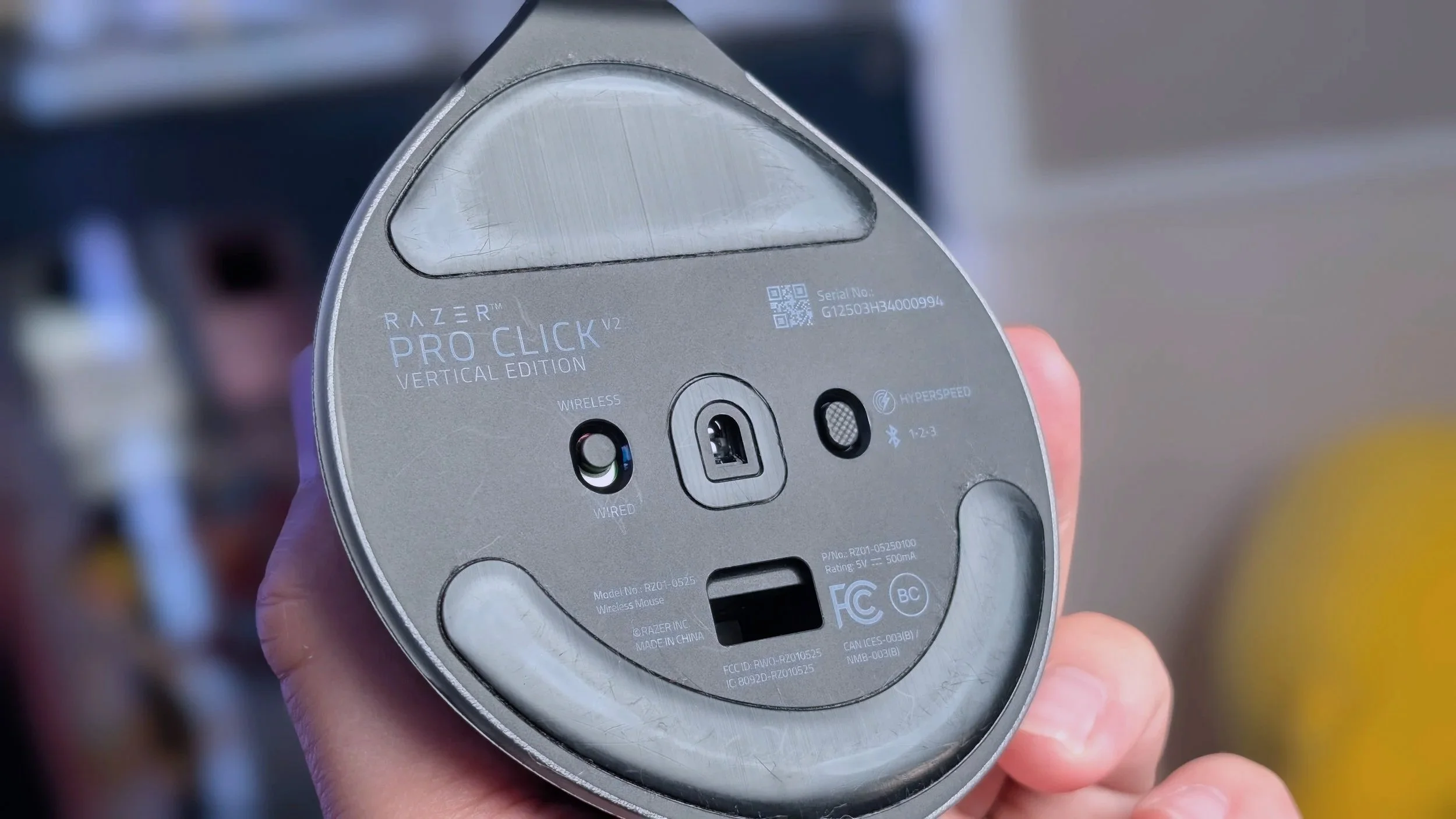
The underside of the mouse
If you look at the mouse from a distance you might mistake it for a 90° angle. Upon closer inspection, you can see that it is slanted off slightly to accommodate the inputs of the right and left clicks on one side. Officially listed as an angle of 71.7°, there’s a similar ergonomic dynamic to the curvature of the mouse to other standard work mice I’ve used like the Logitech MX Master.
The mouse is designed for a right hand oriented user as the right and left clicks, as well as a resting place for the middle finger, occupy more of the real estate on the outer side. A scroll wheel is positioned further to the left click instead of where you’d see it on a traditional mouse layout scheming towards the center split. This makes a lot of sense when you’re actually using the mouse as the natural position the hand stays at has the index finger floating higher up. If the position of the scroll wheel is lowered to the center of this area it would be incredibly straining to continuously move your index finger lower to use it.
Work and play
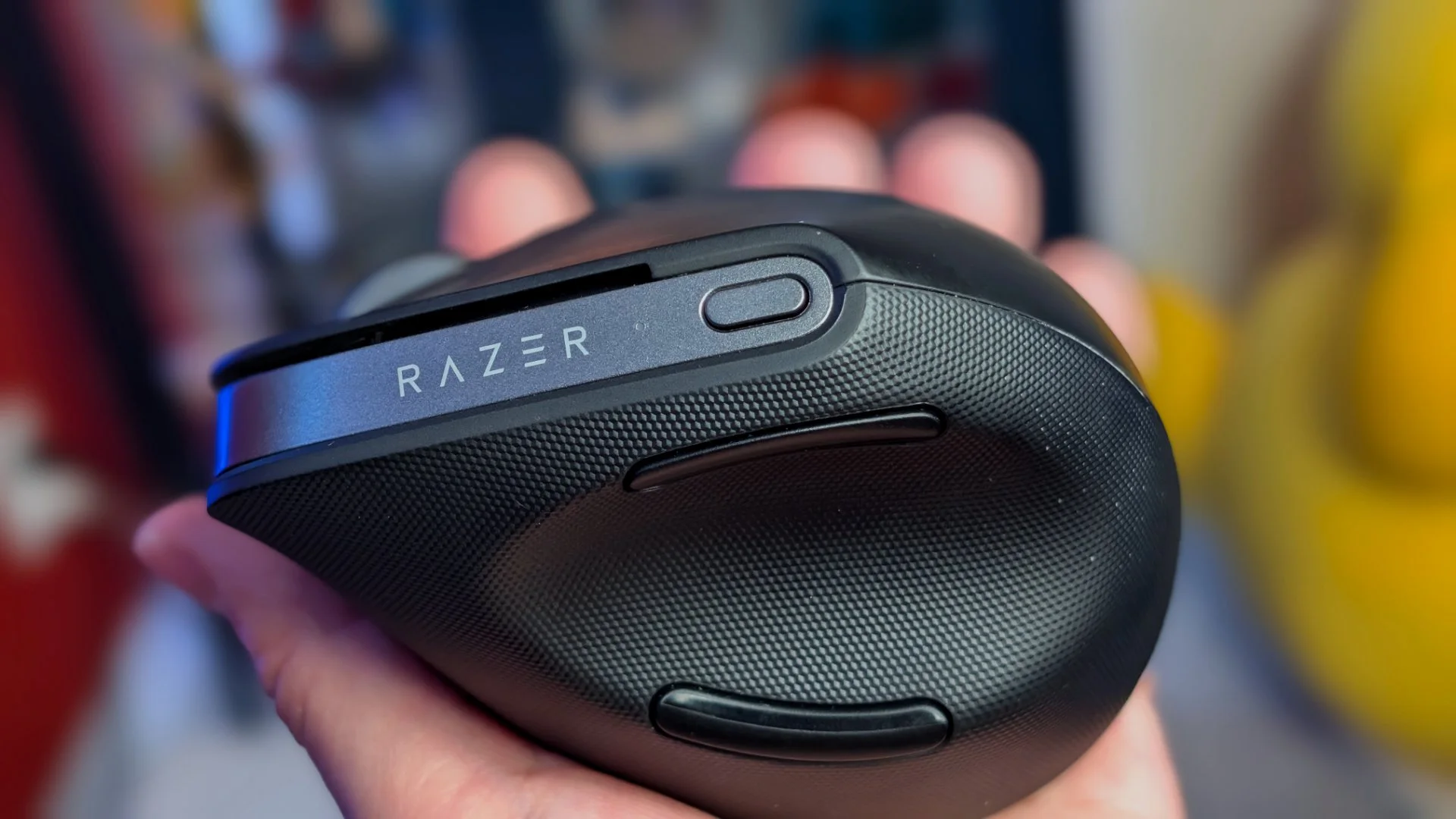
We’ll talk about the switches and the smoothness of the motion later. The inside grip where the thumb rests will be loaded with sensory as Razer added a lot of texture to that side. It feels kind of like a football texture which helps a little bit with the grip. My fingers get really sweaty when playing games so I did find it helpful to have a non-smooth surface for my thumb to pull into.
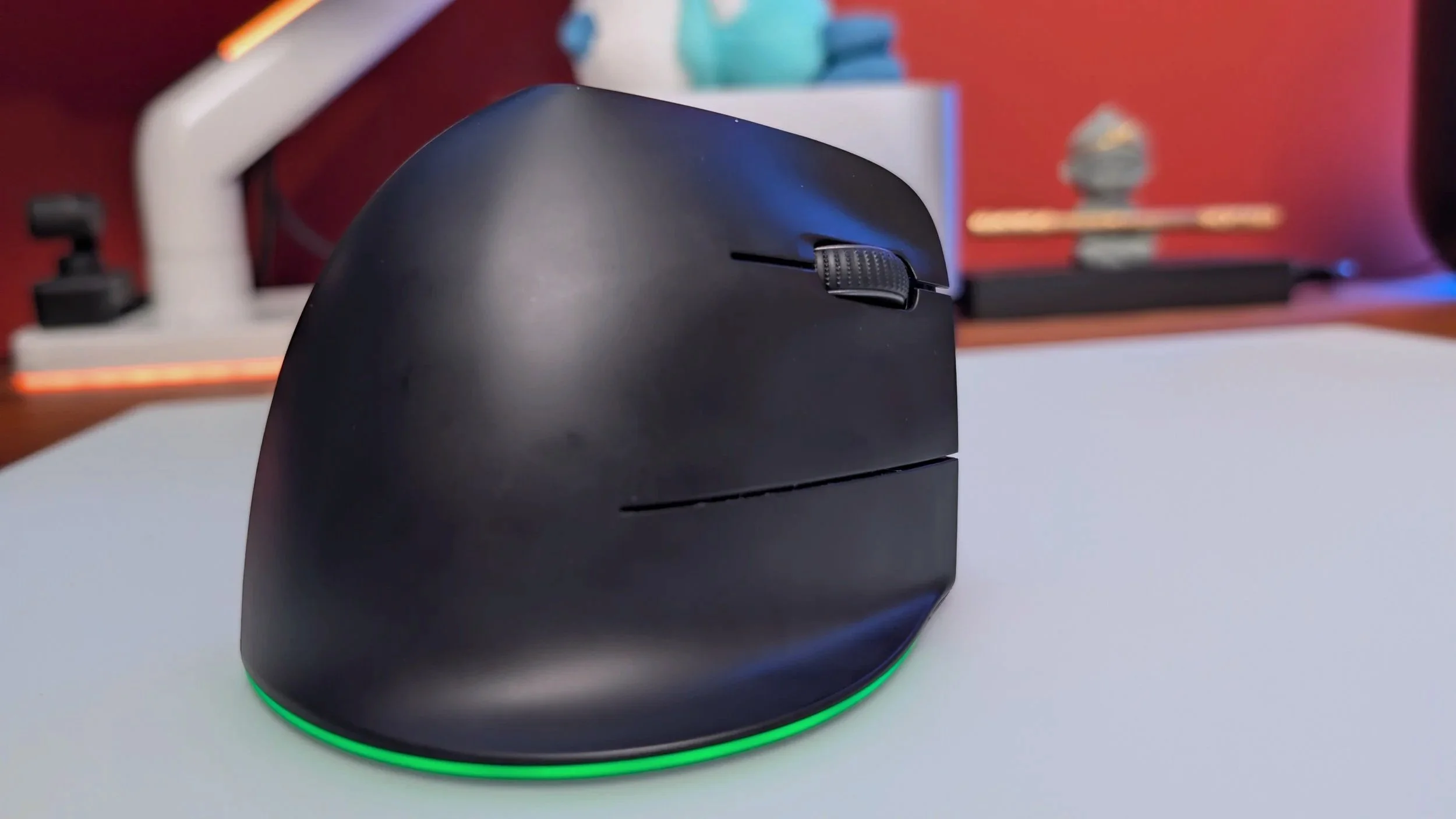
The Pro Click V2 Vertical on top of a glass mouse pad
Razer says the V2 can last up to 6 months off of one charge. I think that’s a little bit too much of an optimistic estimate, but if you leave the RGB running and you’re unplugged, it's realistic to see around 3-4 months which is still really good. I’ve charged the mouse fully only once in my half-year with it and also one short burst charge which Razer says can get back 3 working days in just 5 minutes on the cable. I can say that estimate is pretty close as I experienced that during my real life usage.
As far as actual performance goes, Razer uses a Focus Pro 30K optical sensor that’s 99.8% resolution accurate. I’m using this on a glass pad and that combination has been buttery smooth. For a wireless mouse, I haven’t seen any latency issues at all. The 1000hz polling rate is plenty enough to pull this mouse through into the gaming territory. In fact, I feel extremely comfortable trusting this mouse with my gaming sessions. It’s nice not needing to swap between a work mouse and a gaming mouse in my setup.
Base Model
The Regular Pro Click V2 model only has a 14 zone RGB underglow compared to the Vert’s 18 zone
Yes it has “AI”
There are a few things that can be customized through Synapse, which is Razer’s peripheral software. The main use for Synapse is to control the RGB offerings of Razer products. Yes, Razer is known for their flashing lights and their software is rather decent at giving operators the ability to customize their products. The RGB on the Vert is subtle as it only occupies a sliver of the bottom side of this bulky mouse. I actually like the minimal application of RGB here as the full black aesthetic of the topside makes the mouse appear a lot more professional. If that was the main aim and focus of this product, then the implementation of the RGB as a mere accent that bounces off the surface was a good move.
The other main use of Synapse for this particular mouse lies with that single DPI button on the top side of the mouse. Once you program it with Razer’s software, you can long press it to enable an AI prompt summarizer. It can summarize texts and compose emails and Razer says it “unlocks powerful shortcuts…and streamline workflows instantly for AI tools” whatever that means. It’s basically a desktop widget for ChatGPT if I’m being blunt.
I’m not a big proponent of AI, especially for this particular use case. I do surmise that most people looking to buy this mouse have absolutely no purchasing motivation from this feature. If you’re looking at the Pro Click V2 Vertical, it’s likely because you want a work and gaming ergonomic mouse made by a gaming peripherals company you’re familiar with and not because it’s AI related.


Final Thoughts
My only real complaint is that after months of using this daily, the paint on the bottom of the mouse as well as the skates have begun shedding– leaving black marks all over my glass mouse pad. Other than that, I find this particular vertical mouse to be my current favorite for both work and gaming.
It just covers a lot of bases for what I’m looking for in a mouse for both comfort and performance. Once again, these types of mice are subjective in terms of comfort and affordability, but I personally found the Pro Click V2 to be a terrific offering for my usage.
We are a participant in the Amazon Services LLC Associates Program, an affiliate advertising program designed to provide a means for us to earn fees and support our channel by linking to Amazon.com and affiliated sites.
This premium gaming mouse might be too good for my casual gamer needs.